




Quick answer
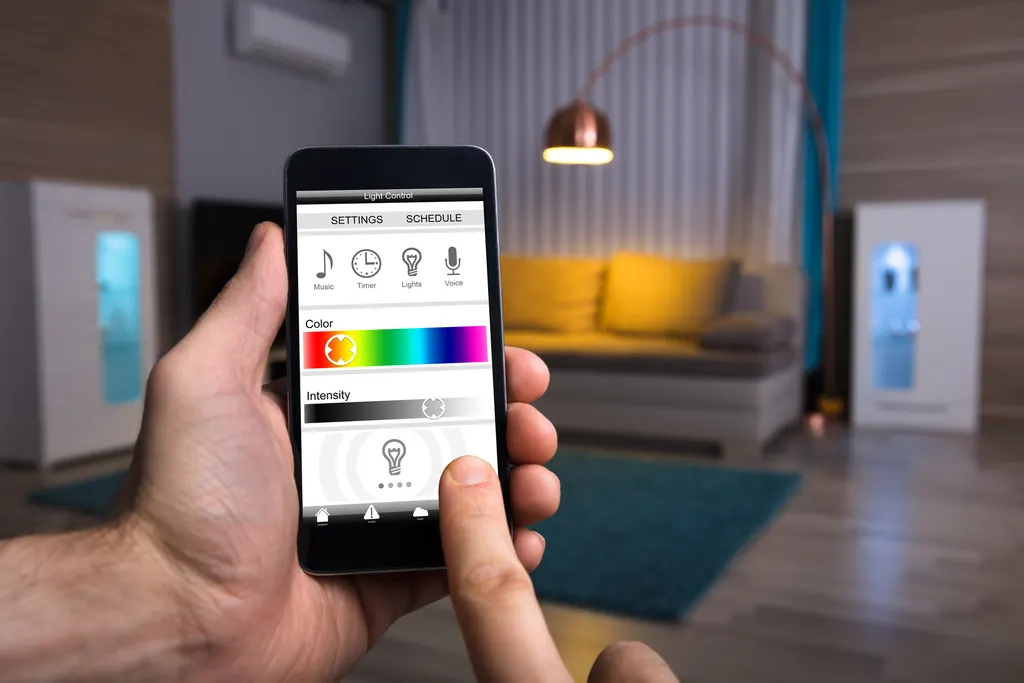
Smart lighting controls replace ordinary wall switches with smart switches and dimmers that can be scheduled, grouped into scenes and controlled by app or voice. Most need a neutral wire in the switch box, a dimmer matched to the LED load, and one protocol (Wi-Fi, Zigbee, Z-Wave or Thread) for the whole house. A licensed electrician handles boxes without neutrals, three-way circuits and unidentified wiring.
Smart lighting controls are the part of a smart home people use every day, and the part most likely to end in a flickering bulb, a three-way switch that no longer works from the hall, or a dimmer that buzzes at half brightness. Almost all of those problems are wiring and load problems, not app problems. This guide is for homeowners in Katy, Richmond and Sugar Land choosing between Wi-Fi switches and hub-based systems, deciding what to do about switch boxes without a neutral, matching dimmers to LEDs, and setting up scenes that behave.
Our smart home device installation service wires switches and dimmers daily; the sections below explain what we check before we recommend one.
Key Takeaways
- Smart switches and dimmers control the fixture from the wall and work with any bulb; smart bulbs stop working the moment someone flips the switch.
- Wi-Fi switches need no hub but crowd the router; Zigbee, Z-Wave and Thread switches form their own mesh and are more reliable in large homes.
- Most smart switches need a neutral in the box; three-way circuits need a matching companion switch, not two smart switches.
- LED flicker, buzz and ghost glow come from a dimmer of the wrong phase type, a non-dimmable bulb, or a no-neutral switch.
- Keep every schedule and scene in one controller; two apps fighting over the same switch is the usual cause of lights that misfire.
- Swapping a switch on clearly identified wiring with a neutral is a careful homeowner job; switch loops, three-ways and aluminum wiring are electrician work.
What are smart lighting controls, and which type should you choose?
Smart lighting controls are devices that let a light be switched, dimmed, scheduled or grouped by something other than a finger on the wall. There are four ways to get there, and mixing them is where most homes go wrong.
- Smart bulbs. The radio is in the lamp. Least expensive to start, color-capable, and useless the moment the wall switch is turned off. Good for a single lamp; poor for a room with six recessed cans.
- Smart switches and dimmers. The radio is in the wall device, so the fixture works from the wall, the app and automations alike, with ordinary bulbs. This is what we recommend for any room that matters.
- Smart plugs. For floor and table lamps. No wiring.
- Whole-home lighting control systems. A dedicated hub with keypads, scene buttons and sometimes in-panel modules. The most reliable and the most expensive, usually installed during a build or remodel.
A sensible plan for an existing house is smart switches and dimmers in the rooms you use most, smart plugs for lamps, and one platform to run them. The Local Electrician suggests deciding the platform first, because a Wi-Fi switch and a Z-Wave switch will not talk to each other without a hub that speaks both. The broader wiring questions, from neutrals to surge protection, are covered in our guide to smart home electrical upgrades.
Wi-Fi, Zigbee, Z-Wave or Thread: which smart switch protocol should you choose?
The protocol is the radio language the switch uses, and it determines how reliable the system is once you have more than a handful of devices.
Wi-Fi switches
No hub required; each switch joins your router directly. Simple for three or four switches. The drawback is that every switch is another client on a 2.4 GHz network already carrying phones, cameras and a doorbell, and in a two-story brick home the far bedrooms may not have a reliable signal at the switch box. Twenty Wi-Fi switches is a router problem waiting to happen.
Zigbee
Runs on 2.4 GHz but on its own mesh: every powered switch relays for the next. Needs a hub. Shares the band with Wi-Fi, so channel choice matters.
Z-Wave
Runs around 900 MHz, well away from Wi-Fi, in its own mesh. Needs a hub. The most interference-resistant choice and the one we lean toward for large homes or anyone who has had Wi-Fi dropouts. Our post on reducing electrical interference in smart home systems explains why the band matters.
Thread and Matter
The newer standard built for cross-brand compatibility. Thread is a 2.4 GHz mesh like Zigbee; Matter is the common language on top. A good choice for a new system if the devices you want support it.
Whatever you pick, buy switches that are UL or ETL listed and rated for the load; the listing matters more than the logo on the box.
Do smart switches need a neutral wire, and what about three-way switches?
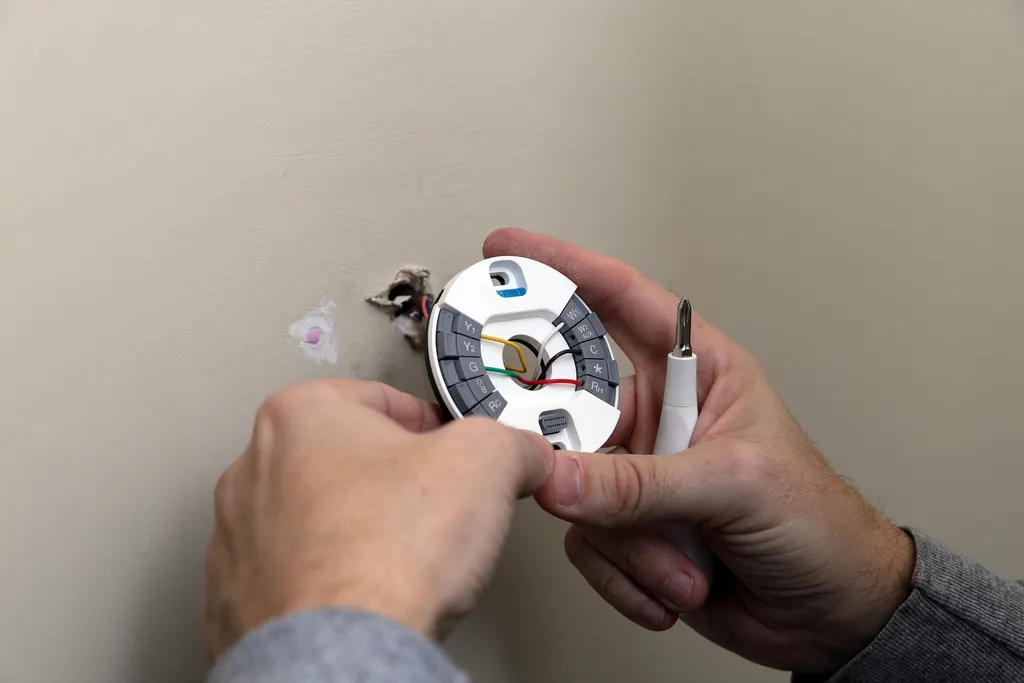
Most do. A smart switch needs constant power for its radio, and the only way to get it is a neutral conductor in the switch box. Open the box (breaker off, every wire tested dead) and look for a bundle of white wires capped together at the back. If it is there, the switch has what it needs. If the box has only two wires plus ground, it is a switch loop and there is no neutral.
No-neutral smart switches exist and work with many LED loads, but they draw standby power through the bulb and are the usual cause of faint ghost glow at night. For a room you care about, pulling a neutral is the cleaner fix.
Three-way and four-way switches are the second trap. A hallway light controlled from two ends uses traveler wires between the switches. You do not install two smart switches; you install one smart master and a matching companion (add-on) switch from the same manufacturer at the other location, re-purposing one traveler as the signal wire. Mixing brands, or leaving a conventional three-way in place, gives you a light that works from one end only, or not at all. Some systems avoid the wiring altogether with a wireless remote switch at the second location, which is a fair solution where the second box has no neutral.
The light switch wiring mistakes guide shows the common miswires we fix after a DIY three-way conversion.
Why do LEDs flicker, buzz or glow with a smart dimmer?
A smart dimmer does the same thing an old rotary dimmer did, chopping part of each AC cycle, with a radio added. LEDs are picky about how the cycle is chopped, and that is the root of nearly every complaint.
- Phase type. Forward-phase (leading-edge, TRIAC) dimmers are the common type and work with most dimmable LED bulbs. Reverse-phase (trailing-edge, ELV) dimmers are gentler and are the right choice for LED tape, under-cabinet drivers and many fixtures with electronic transformers. Use a forward-phase dimmer on an ELV driver and you get buzz, flicker and a short driver life.
- Non-dimmable bulbs. They flicker, hum, then die. Check the box.
- Minimum load. A dimmer rated for a 600-watt incandescent load may need at least a small LED load to behave; one 9-watt bulb can fall below it. Likewise, the LED rating on a dimmer is far lower than its incandescent rating; eight 15-watt cans on a dimmer rated for 150 watts of LED is over the limit.
- Mixed loads. Three brands of bulb on one dimmer dim at three different curves. Match them.
- Low-end trim. Most smart dimmers let you set a minimum level in the app so bulbs never drop into their flicker zone.
- No-neutral switches. Standby current through the bulb produces ghost glow; a bypass device across the fixture usually cures it.
Our LED dimmer buzzing and flickering guide walks through the diagnosis in order. If the flicker is on lights that are not dimmed at all, suspect the circuit rather than the dimmer.
How do you set up lighting scenes and schedules that do not misfire?
A scene is a saved set of levels for several lights (kitchen at 100 percent, island pendants at 40, under-cabinet on). A schedule fires a scene at a time or at sunset. An automation fires it on a trigger such as a motion sensor or the front door unlocking. All three are easy to create and easy to break.
What keeps them reliable:
- One controller. If the porch light has a schedule in the switch maker's app and another in the voice assistant, they will disagree. Pick the hub or app that runs everything and delete the duplicates.
- Sunset, not clock time, for exterior and evening scenes. Houston's sunset moves by almost three hours across the year.
- Motion sensors with a timeout and a lux threshold, so the pantry light does not fire at noon or turn off while someone is standing still.
- Scenes that set every light explicitly, including the ones that should be off. A scene that leaves a light unspecified inherits whatever state it was in.
- A vacation routine that varies on and off times slightly, which looks far more occupied than lights on a rigid timer.
- Hub placement and power. A hub behind the TV next to the receiver, or on a power strip that gets switched off, causes more dead scenes than any software bug. A small UPS lets it ride through brief outages.
After a CenterPoint outage, check that schedules survived; some hubs lose their clock and fire scenes late.
Smart lighting controls in Katy, Richmond and Sugar Land homes
The same project looks different depending on when the house was built, and The Local Electrician sees all three versions every week.
Homes built after about 2012 in Aliana, Harvest Green, Jordan Ranch and the newer Cinco Ranch sections have neutrals at nearly every switch, grounded boxes and 200-amp panels. A smart switch swap is quick, and the usual electrician work is adding a companion switch at a three-way location or a neutral at the one box the builder missed.
1990s and early-2000s homes in First Colony, Greatwood, Pecan Grove and the older parts of Katy are mixed: some boxes have neutrals, many do not, and the dimmers are often 1990s TRIACs on the original can lights. Here the job is usually a neutral pull at three or four locations and dimmers matched to whatever LED retrofit went into the cans.
1960s to 1980s homes around older Richmond, Bellaire and Memorial may have switch loops throughout, shallow boxes that will not fit a smart switch, and sometimes aluminum branch wiring, which needs specific connectors and is not a job for a DIY switch swap.
Local details that matter: exterior switches and fixtures need weather-rated devices because our humidity corrodes contacts; bedroom circuits altered during the work may need AFCI protection under the 2023 NEC as adopted in Texas; and a device-for-device switch swap needs no permit, while new circuits or an added subpanel for a lighting control system do. Scheduling exterior lights to sunset and a vacation routine is also sensible storm-season preparation when a house may sit empty.
How much energy do smart lighting controls actually save?
Less than the marketing implies, and more than nothing. In a Houston home the electric bill is dominated by air conditioning; lighting is a modest slice, and the big lighting saving already happened when you switched to LEDs. What smart lighting controls add on top is behavioral:
- Lights that turn themselves off. Occupancy sensors in closets, pantries, garages and kids' bathrooms remove the hours a light burns in an empty room.
- Dimming. An LED at 50 percent uses roughly half the power and lasts longer.
- Exterior lights on sunset schedules instead of dusk-to-dawn or, worse, all day because the photocell failed.
- Scenes that cut a whole floor at bedtime with one command.
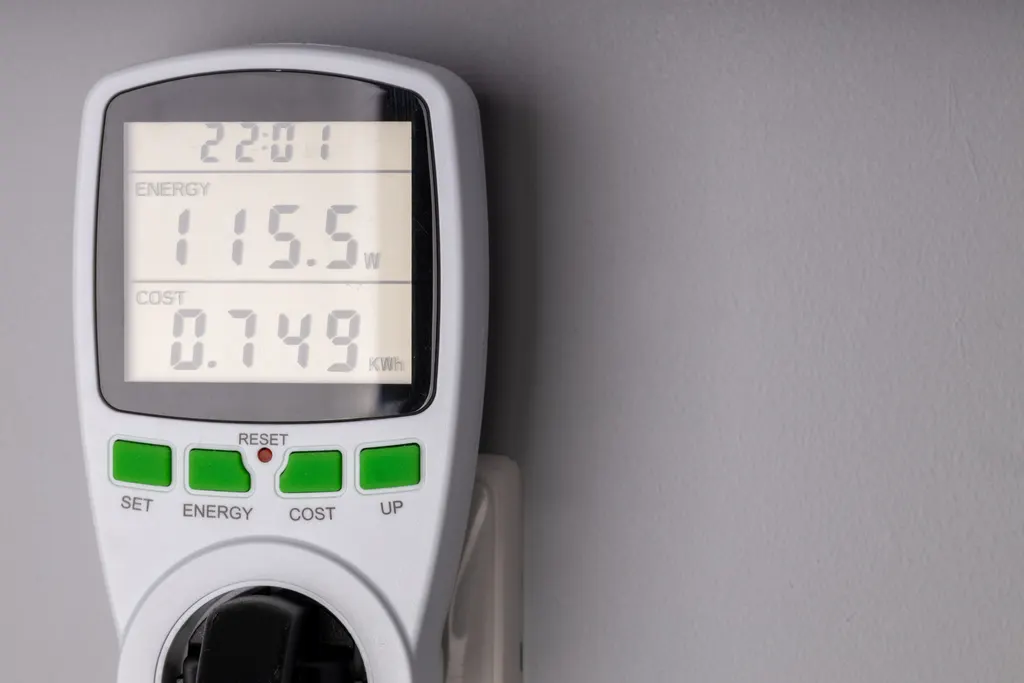
Against that, each smart switch draws a small standby current around the clock, well under a watt for most listed devices. Across thirty switches it is real but small, and far less than one forgotten porch light. Smart switches also give you data: many report hours-on and watts, which is a useful check on which rooms are burning power. For the bigger levers on a Houston bill, see how to lower your electric bill; lighting is step four or five, not step one. The honest case for smart lighting is convenience and security first, with a modest energy saving as a bonus.
Can you install smart lighting controls yourself, and what affects the cost?
A single-pole smart switch in a box with a clearly identified neutral, a ground, copper wiring and one circuit is a reasonable homeowner job: breaker off, every conductor tested dead with a non-contact tester, a photo before anything is disconnected, and the manufacturer's diagram followed exactly. Stop and call if the box has only two wires, has more cables than you can account for, shows aluminum conductors, is a three-way, or has scorched insulation.
The Local Electrician handles the rest: neutral pulls, companion switch wiring, dimmer selection for LED tape and ELV drivers, replacing shallow or overfilled boxes, exterior devices, and the occasional surprise such as a switch box feeding two circuits. We also set the low-end trim on dimmers and confirm the hub sees every device before we leave.
What moves the cost of a smart lighting project:
- Number of locations without a neutral, which is the largest variable in older homes.
- Three-way and four-way locations, each needing a companion device.
- Dimmer type. Reverse-phase and 0-10V dimmers for drivers cost more than standard dimmers.
- Box condition. Shallow boxes, overfilled boxes and aluminum wiring add labor.
- Protocol. Hub-based systems add a hub; Wi-Fi systems may need a better router or mesh node.
- Exterior and wet-location devices.
Device-for-device replacements are the least expensive version; a whole-home lighting control system with keypads is the most. Estimates on installations are free, financing is available for larger projects, and you can reach us at 832-271-1167.
Frequently Asked Questions
What are smart lighting controls?
Wall switches, dimmers, plugs or bulbs with a built-in radio that let lights be turned on, dimmed, scheduled, grouped into scenes and controlled by app or voice. For most rooms the right choice is a smart switch or dimmer in the wall, which works with ordinary bulbs and keeps the wall switch functional, rather than smart bulbs that go offline when the switch is flipped.
Do smart dimmer switches need a neutral wire?
Most do, because the radio needs constant power and a neutral completes that circuit. Homes wired with switch loops, common before the 2011 NEC required a neutral at switch locations, have none in the box. No-neutral dimmers exist but draw standby current through the bulb and can cause ghost glow; a licensed electrician can usually pull a neutral from the fixture above.
Can I use a smart dimmer switch in a 3-way setup?
Yes, but not with two smart dimmers. Install one smart master and the manufacturer's matching companion or add-on switch at the second location, using one of the existing traveler wires as the signal wire. Mixing brands or leaving a standard three-way in place gives you control from one end only. Where the second box has no neutral, a wireless remote switch is an alternative.
Why does my smart dimmer switch make my lights flicker?
The usual causes, in order: non-dimmable bulbs, a forward-phase dimmer on an LED driver that wants reverse-phase, the LED load below the dimmer's minimum or above its LED rating, mixed bulb brands on one dimmer, or a no-neutral switch leaking standby current. Raise the low-end trim in the app first; if flicker continues on lights that are not dimmed, the circuit itself needs checking.
Wi-Fi or Z-Wave smart switches: which is better?
Wi-Fi switches need no hub and suit a few switches in a small home. Z-Wave and Zigbee switches need a hub but form their own mesh, do not load your router, and are more reliable past ten or fifteen devices or in a two-story brick home. Z-Wave runs at 900 MHz, away from Wi-Fi, which makes it the most interference-resistant option.
Can smart lighting controls work with any light?
Smart on-off switches work with any fixture within their load rating. Smart dimmers work only with dimmable LEDs, incandescent or halogen loads, and the dimmer must match the load type: standard forward-phase for most bulbs, reverse-phase for LED tape and electronic drivers, 0-10V for commercial-style fixtures. Ceiling fans need a fan-rated controller, never a lighting dimmer.
How do I install smart lighting controls in a Katy or Sugar Land home?
Start by opening one switch box with the breaker off to see whether a neutral is present; that decides the device type. Pick one protocol and one controller app for the whole house. Replace single-pole switches with neutrals yourself if you are comfortable; have The Local Electrician handle switch loops, three-ways, dimmers for drivers and anything with aluminum wiring.