



Quick answer
The smart home electrical upgrades that matter are the ones behind the wall: a neutral conductor at every switch box, grounded three-prong outlets, a panel with spare capacity and modern breakers, a whole-home surge protector, a doorbell transformer sized for video, interconnected smoke and CO detectors, and wired Ethernet to the router, TV and office. The devices are the easy part; the wiring decides whether they work reliably.
Most smart home projects start with a doorbell camera and a few bulbs and stall at the first wall switch that has no neutral wire, the first lightning storm that kills a hub, or the first Wi-Fi dropout in the back bedroom. This guide is about the smart home electrical upgrades that prevent those stalls, written for homeowners in Katy, Richmond and Sugar Land who want automation that works every day rather than a drawer of returned gadgets.
It folds together what we have learned installing smart switches, thermostats, energy monitors and security devices across Fort Bend County, and it points to the detailed guides for each. Our smart home device installation service handles the wiring side of all of it.
Key Takeaways
- Smart switches, dimmers and most thermostats need a neutral conductor at the device; many pre-2010 homes lack one at some boxes.
- Smart devices draw almost nothing, but the hubs, office gear and EV chargers that come with a connected home often do need new circuits.
- A whole-home surge protector at the panel is the single most cost-effective smart home electrical upgrade in a lightning-prone area.
- Video doorbells usually need a 16 to 24-volt transformer with enough capacity; interconnected smoke and CO detectors need their own wiring.
- Wired Ethernet to the router, TV wall and home office fixes most reliability problems that homeowners blame on the devices.
- Plug-in devices and bulbs are homeowner jobs; new circuits, neutrals, panel work and doorbell transformers are licensed-electrician work.
What smart home electrical upgrades does a connected house actually need?
Smart home automation is a layer of controls on top of your house's electrical system: switches that take commands, a thermostat that talks to the air handler, sensors, cameras and a network tying it together. The controls are only as reliable as the wiring underneath. In order of how often they come up on our jobs, the smart home electrical upgrades that make the difference are:
- A neutral at every switch location, so smart switches and dimmers have constant power.
- Grounded, three-prong outlets where smart plugs, hubs and media gear will live.
- Panel capacity and modern breakers, so adding an office circuit, a network closet or a charger does not mean replacing the panel mid-project.
- Whole-home surge protection at the panel.
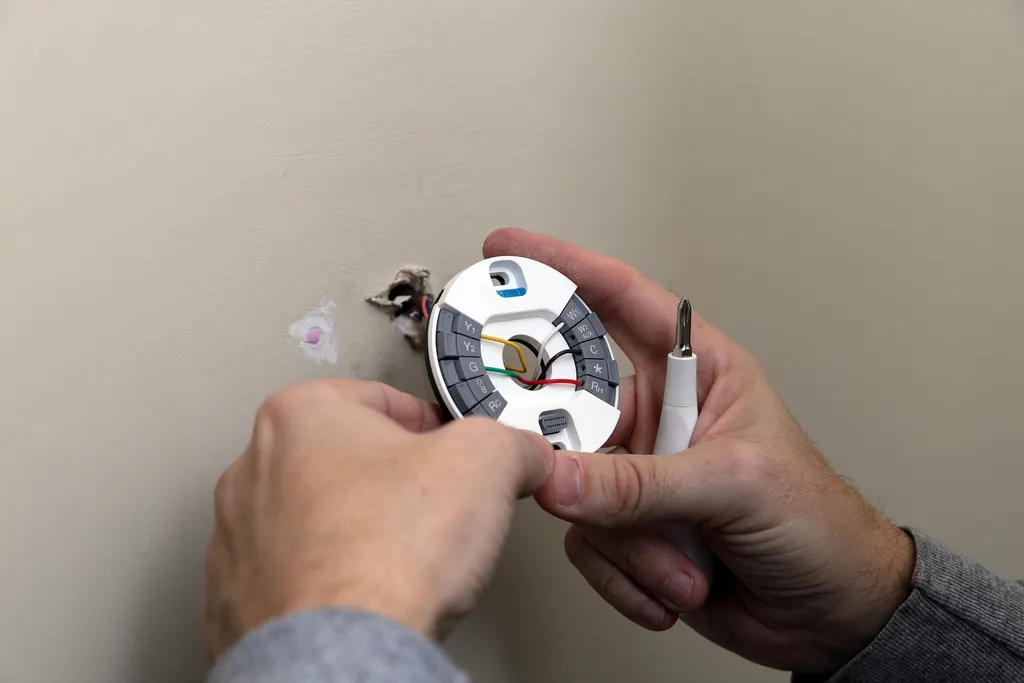
- Low-voltage infrastructure: a correctly sized doorbell transformer, a C-wire at the thermostat, and Ethernet to the places that matter.
- Interconnected smoke and CO detectors, which smart versions still require.
Notice what is not on the list: specific hubs, apps or voice assistants. Those change every year. The wiring does not. A home that has the six items above can run any platform; a home that lacks the first one will fight every switch it tries to install. The sections below take each item in turn, and our guides on smart lighting controls and smart thermostat wiring go deeper on the two most common jobs.
Why do smart switches need a neutral wire?
An ordinary switch is just a gap in the hot conductor and needs no power of its own. A smart switch is a small computer with a radio that needs a trickle of power all the time, even when the light is off. That requires a complete circuit through the switch box: hot in, neutral back. That neutral is the white wire that many older homes simply do not have at the switch.
Two wiring layouts cause the problem. In a switch loop, power goes to the light fixture first and a two-conductor cable drops to the switch; both wires in the box are hots. In other homes the neutral passes through the box but was folded into the back behind the switch; that one is an easy find. The NEC has required a neutral at most switch locations in new work since the 2011 edition, so homes built in Aliana, Riverstone or Cross Creek Ranch after that almost always have one. In 1980s and 1990s homes in First Colony, Pecan Grove and older Katy subdivisions, we open the box and find a switch loop.
Your options when there is no neutral:
- A no-neutral smart switch, which draws standby power through the bulb. These need an LED load above a minimum wattage and can cause faint glow or flicker.
- Have an electrician pull a neutral to the box, often from the fixture above through the same cavity.
- Smart bulbs with the switch left on: cheap but fragile; one flip and the bulb is offline.
Do smart devices need a panel upgrade or dedicated circuits?
The devices themselves do not. A smart switch, a hub or a dozen sensors draw a few watts between them; they will never trip a breaker. What strains the panel is everything that tends to arrive with a connected home at the same time:
- A home office with two monitors, a desktop, a printer and a space heater on a bedroom circuit that already feeds three other rooms.
- A network closet or media rack with a receiver, a NAS and an uninterruptible power supply.
- An EV charger, which is a 40 to 60-amp circuit on its own.
- A mini-split for a garage gym or converted bonus room.
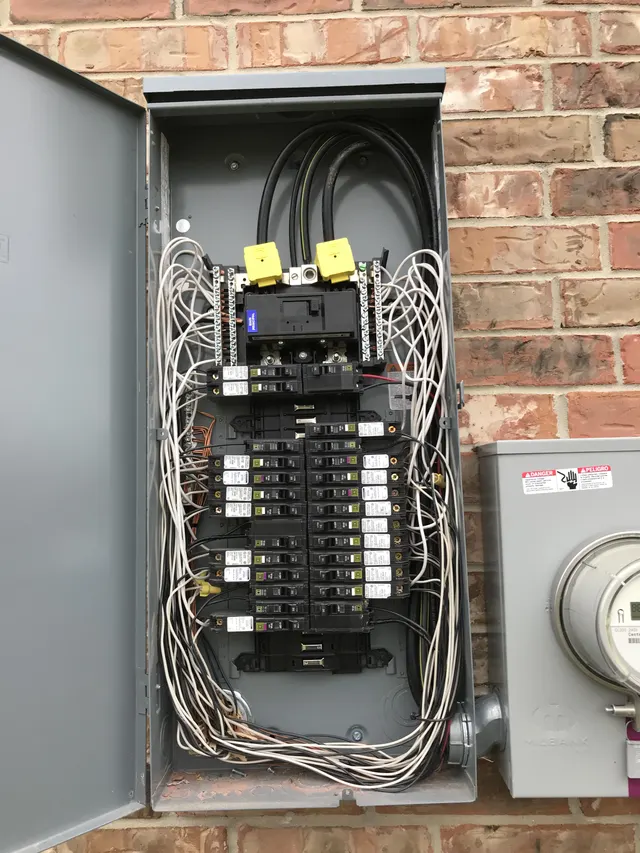
Those need dedicated circuits, and whether the panel can take them comes down to two things: physical breaker spaces and calculated load. A 200-amp panel in a newer home usually has both. A 100 or 150-amp panel from the 1980s often has neither, and if it is a Federal Pacific, Zinsco or early Challenger panel, replacing it through our panel upgrade service is a safety job that comes before any automation.
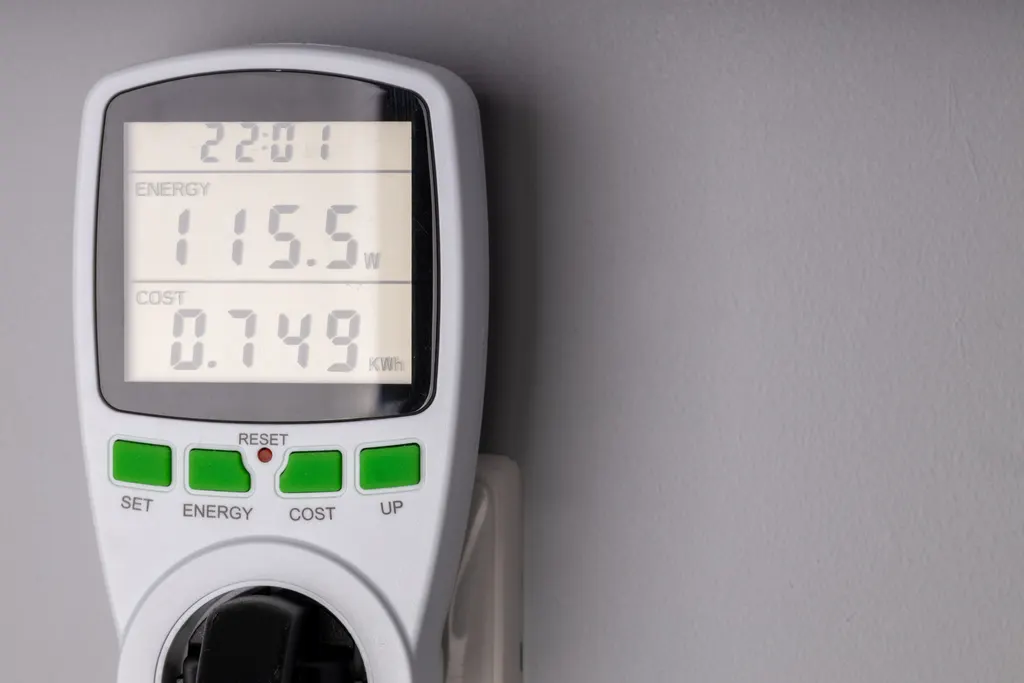
Two breaker points worth knowing. Bedroom and living-area circuits require AFCI protection under current code when they are extended or added, and a few older smart dimmers and plug-in transformers can nuisance-trip AFCI breakers; a modern listed device fixes it. And if you add an energy monitor, its sensors clamp around the service conductors inside the panel, one more reason the panel cover is an electrician's job.
Why is whole-home surge protection the first smart home upgrade to make?
A conventional home has a handful of electronics plugged into power strips. A smart home has a circuit board in every switch, every thermostat, the doorbell, the garage opener, the appliances and the panel-mounted monitor. None of those are behind a surge strip, and a strip would not help them anyway: most damaging surges arrive on the service conductors from lightning striking a block away or from grid switching, and they hit every circuit in the house at once.
A Type 2 surge protective device mounts at the panel, connects through a two-pole breaker and clamps the surge before it reaches the branch circuits. It is the one smart home electrical upgrade we recommend to everyone in the Houston area without qualification, because our summer lightning season is long and the May 2024 derecho and Hurricane Beryl both produced grid disturbances that took out thermostats and switches across our service area. The device needs a good grounding electrode system to work, which is also something an electrician checks when installing it.
Point-of-use protection still has a role: a quality surge strip for the TV and media rack, and a protector on the coax or Ethernet feed if it comes from outside. Think of it as two layers, panel first. Our surge protector installation page explains the equipment and our whole-home surge protection guide explains the ratings.
What wiring do smart doorbells, locks, cameras and detectors need?
Security is usually the second thing a homeowner automates, and it is where low-voltage details trip people up.
Video doorbells
Most wired video doorbells want a 16 to 24-volt AC transformer with more capacity than the old chime needed. An original 10-volt-amp transformer on a 1990s house will boot the doorbell, then brown out when it tries to stream, which shows up as random offline alerts. Replacing the transformer is a small job, but it sits on a 120-volt circuit, often in the attic or a closet, so it is electrician work. A chime kit or power module may be needed with a mechanical chime.
Smart locks
Battery powered, no wiring. The only electrical consideration is a strong Wi-Fi or Zigbee signal at the door.
Cameras
Outdoor cameras need either a nearby weatherproof GFCI outlet, which may be a new exterior circuit, or Power over Ethernet back to a switch indoors. PoE is more reliable, immune to Wi-Fi congestion and worth the cable run for any camera that matters. Floodlight cameras replace an existing fixture and use its box; the box must be grounded and rated for the load.
Smoke and CO detectors
Smart detectors do not change the rule that detectors must be interconnected so every unit alarms together. Hardwired interconnect is the standard; listed wireless-interconnect units are the alternative where no interconnect wire exists. Placement follows the same rules as conventional units, and The Local Electrician replaces and interconnects them as part of a smart home project.
How much of a smart home should be hardwired instead of wireless?
More than most people expect. The most common support call we get is not a broken device; it is a device that keeps dropping off the network. Wi-Fi in a two-story slab home with a brick exterior, a metal-framed garage door and thirty radios competing on 2.4 GHz is not a stable foundation for anything you rely on.
The hardwired items that pay for themselves:
- Ethernet to the router's final location, ideally central and elevated, not in the corner where the cable modem happened to be installed.
- Ethernet to the main TV wall and the home office. Streaming boxes, consoles and work computers all perform better wired, and it frees Wi-Fi for the devices that cannot be wired.
- A wired backhaul for mesh access points if the house is large or has a detached office.
- PoE for cameras, as above.
- Speaker cable for any in-ceiling audio, covered in our home theater and multi-room audio wiring guide.
Low-voltage cable does not need a permit and can share a wall cavity, but it must be kept separate from line-voltage conductors inside boxes and should be run with a little slack in the attic rather than stapled tight. Zigbee, Z-Wave and Thread devices form their own mesh and are less affected by Wi-Fi crowding; if your switches and sensors use them, a hub location away from the router and the microwave matters. Our guide to reducing electrical interference in smart home systems covers that in detail.
Smart home electrical upgrades in Katy, Richmond and Sugar Land homes
The Local Electrician installs smart home wiring across Fort Bend County, and three kinds of house account for nearly all of it.
New construction and homes built after about 2012 in Aliana, Harvest Green, Jordan Ranch, Cross Creek Ranch and the newer Sienna sections: neutrals at the switches, 200-amp panels, grounded outlets everywhere and often a structured-wiring box with Ethernet and coax home runs already in place. The upgrades here are surge protection, a doorbell transformer and maybe a dedicated office circuit. Quick jobs.
1990s and early-2000s homes in First Colony, Greatwood, Cinco Ranch and Grand Mission: mostly grounded wiring and 150 to 200-amp service, but a mix of switch loops and neutral-equipped boxes, a small doorbell transformer and no Ethernet. These are the typical Sugar Land and Katy smart home projects: a neutral pull at three or four switches, a transformer, a few cable runs and a surge device.
1960s to 1980s homes in Pecan Grove, older Richmond, Bellaire and Memorial: two-prong outlets in some rooms, possible aluminum branch wiring, a panel that may be a known hazard brand. Here the honest advice is to fix the fundamentals first; automation on top of ungrounded outlets and a Federal Pacific panel is not an upgrade.
Permits: new circuits, panel changes and surge devices wired into the panel are permitted and inspected (city building department inside city limits, Fort Bend or Harris County outside). Swapping a switch for a smart switch on existing wiring is not. CenterPoint Energy is only involved if the service itself is upgraded.
Which smart home electrical work can you do yourself?
We would rather tell you clearly than have you find out at the breaker.
Homeowner jobs: smart plugs, smart bulbs, battery locks and sensors, hubs and mesh nodes, app setup, and replacing a thermostat where a C-wire is already present and labeled. Running low-voltage Ethernet or speaker cable through the attic is legal for a homeowner, if hot and unpleasant from May to October.
Licensed-electrician jobs: replacing a switch where there is no neutral or the wiring is not clearly identified, any three-way or four-way switch conversion, pulling a neutral, new circuits of any kind, doorbell transformer replacement, hardwired detector interconnect, anything inside the panel including surge devices and energy-monitor clamps, and any work on aluminum wiring. In Texas that work is done under an electrical contractor license; ours is TECL #34406.
Before you touch any switch: turn off the breaker for that circuit, confirm with a non-contact tester that every wire in the box is dead (switch loops can bring a second hot into a box from a different circuit), and photograph the connections before removing anything. If you find aluminum conductors, a box full of wires you cannot account for, or scorched insulation, put the cover back on and call.
The Local Electrician quotes smart home electrical upgrades after a walk-through, because the number of switch boxes without neutrals and the condition of the panel decide the scope; the devices themselves are a small part. Estimates on installations are free, financing is available for larger projects that include a panel, and you can reach us at 832-271-1167.
Frequently Asked Questions
Do I need to upgrade my electrical panel for smart home devices?
Not for the devices; switches, hubs and sensors draw a few watts. You may need panel work if the connected-home project also adds an office circuit, a media rack, an EV charger or a mini-split, if the panel has no open breaker spaces, or if it is a Federal Pacific, Zinsco or early Challenger panel. A load calculation and a look at the panel brand settle it.
Can I install smart switches and outlets myself?
A smart plug or bulb, yes. A smart switch only if the box has a clearly identified neutral, a ground, a single circuit and no aluminum wiring, and only with the breaker off and every conductor tested dead. Switch loops, three-way circuits, missing neutrals and anything that looks unfamiliar are licensed-electrician work. The Local Electrician handles neutral pulls and switch conversions daily.
Why does my smart switch say it needs a neutral wire?
The switch has a radio and a small controller that need constant power, which requires a return path (the neutral) in the switch box. Homes wired with switch loops, common before the 2011 NEC required a neutral at switch locations, have only two hot conductors in the box. The fix is a no-neutral model, a neutral pulled to the box, or smart bulbs.
What are the benefits of installing a whole-home surge protector in a smart home?
Every smart switch, thermostat, doorbell and appliance control board is sensitive electronics that cannot sit behind a power strip. A Type 2 surge protector at the panel clamps lightning and grid-switching surges before they reach the branch circuits, protecting all of them at once. In the Houston area, with a long lightning season and recent storm-related grid events, it is the first upgrade we recommend.
Why does my video doorbell keep going offline?
Usually the transformer. Older doorbell transformers supply around 10 volt-amps, enough for a chime but not for a camera that streams video. Most wired doorbells want a 16 to 24-volt transformer with higher capacity, and a mechanical chime may need a power module. Weak Wi-Fi at the front door is the second cause. Replacing the transformer is a quick licensed-electrician job.
How can home automation improve energy efficiency?
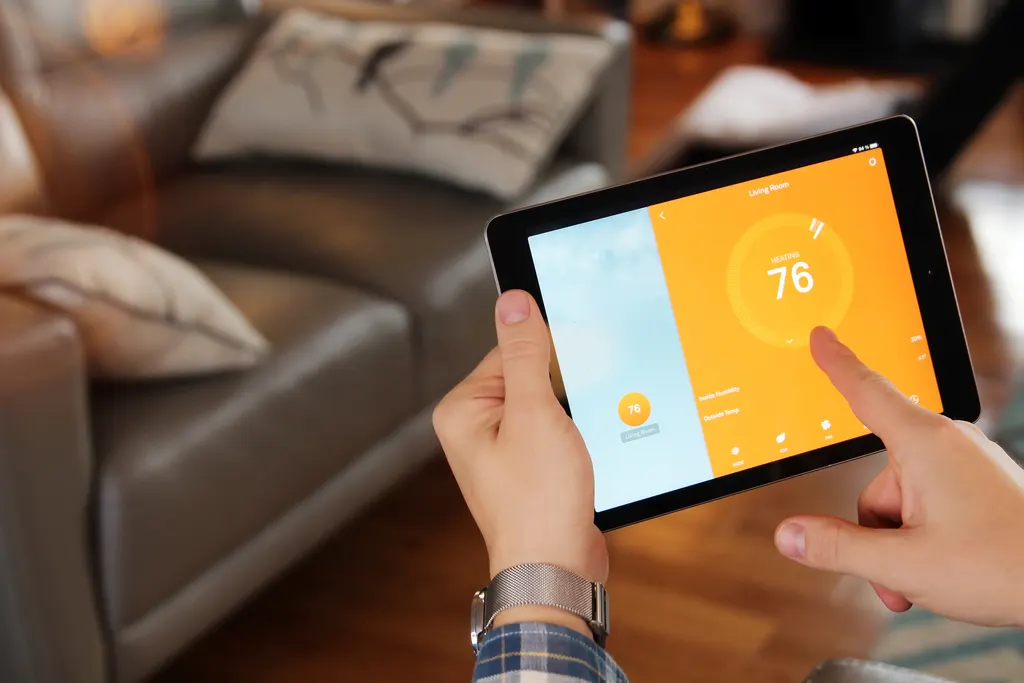
The savings come from scheduling and feedback rather than the devices themselves: a smart thermostat that sets back cooling while the house is empty, lighting scenes that turn off whole rooms, smart plugs that cut phantom load from media gear, and an energy monitor that shows which appliance is driving the bill. In Houston, the air conditioner dominates, so thermostat and attic improvements matter most.
What should I consider when choosing smart home devices?
Start with the wiring, not the brand: confirm whether your switch boxes have neutrals, whether your thermostat has a C-wire and what your doorbell transformer supplies. Then choose devices that are UL or ETL listed, work on one platform you intend to keep, and use Zigbee, Z-Wave or Thread for switches and sensors so they do not crowd your Wi-Fi. Favor wired Ethernet and PoE for anything you rely on.