





Quick answer
A home energy monitor measures how much electricity your house is using in real time, usually with current-transformer clamps around the service conductors inside the electrical panel, and sends the data to an app. It shows your always-on base load, how much the air conditioner, water heater and pool pump actually draw, and which appliances are failing. Installation inside the panel is a licensed-electrician job; plug-in monitors are not.
A home energy monitor turns the electric bill from a number you get once a month into something you can watch change by the minute. That matters in Katy and Richmond, where a summer bill is dominated by one appliance and most homeowners have never seen what the pool pump, the water heater or the always-on electronics cost them. This guide explains how monitors work, which type fits which goal, what the installation involves, how to read the numbers, and what the data usually reveals in a Houston-area house.
Panel-mounted monitors are installed through our smart home device installation service; the rest of this guide is the homework that makes the data useful.
Key Takeaways
- A whole-home energy monitor uses CT clamps on the service conductors inside the panel plus a breaker for voltage reference; an electrician installs it.
- Circuit-level monitors show each major load separately; smart plugs measure one appliance; CenterPoint smart meter data shows 15-minute totals.
- The first useful number is base load: what the house draws at 3 a.m. with everything off, paid for all year.
- In a Houston-area home the air conditioner, water heater, pool pump and dryer dominate the bill; the monitor shows which is out of line.
- A compressor, pump or heating element that draws more than it used to is often failing; the monitor catches it early.
- Watts are the rate of use right now; kilowatt-hours are what you are billed for.
What is a home energy monitor and how does it work?
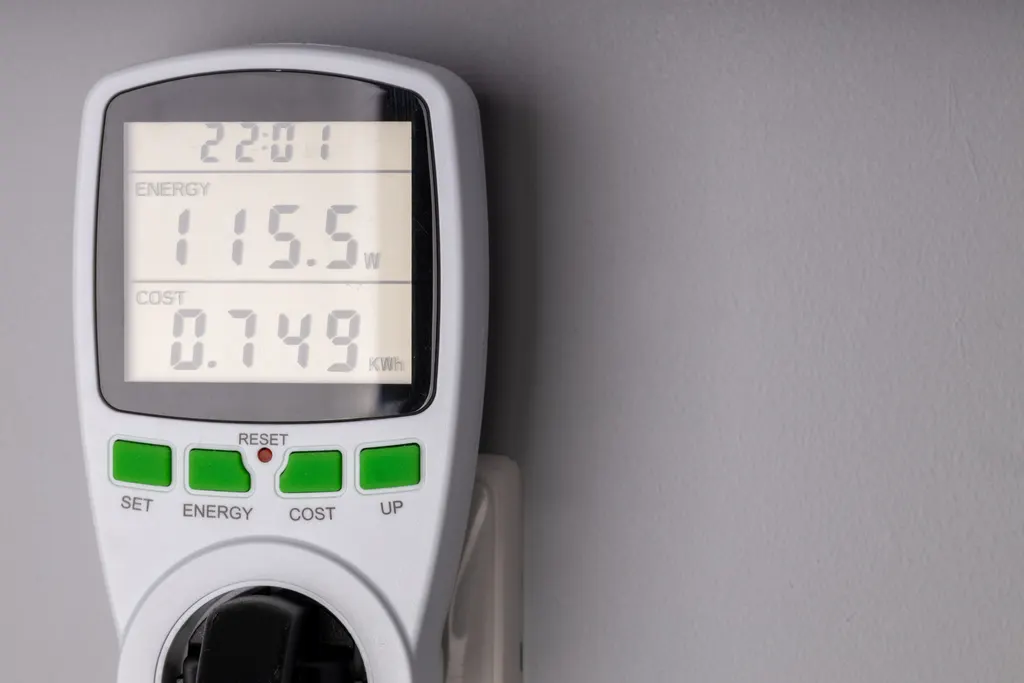
A home energy monitor is a measurement device that reports electricity use in real time to a phone or web app. Nearly all whole-home models work the same way:
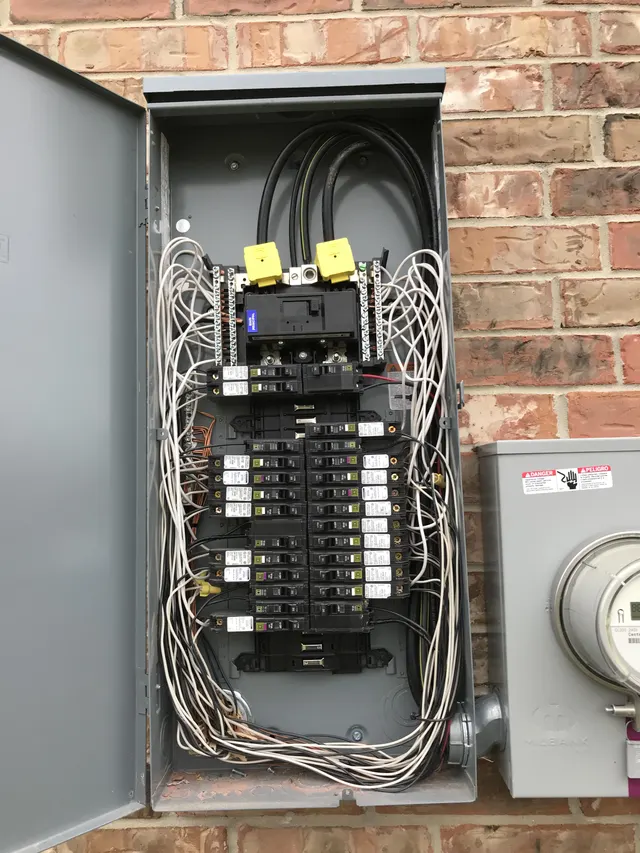
- Current transformers (CTs) are split-core clamps that snap around a conductor without touching the copper. They sense the magnetic field and output a small signal proportional to the current. Two go around the two hot service conductors feeding the main breaker; additional clamps can go around individual branch circuits.
- A voltage reference connects the monitor to both legs of the panel through a small two-pole breaker. Current alone is not power; the monitor needs voltage to calculate watts, and the two-leg connection lets it see 240-volt loads correctly.
- A processor and Wi-Fi radio sample the readings many times per second, calculate power and energy, and upload them.
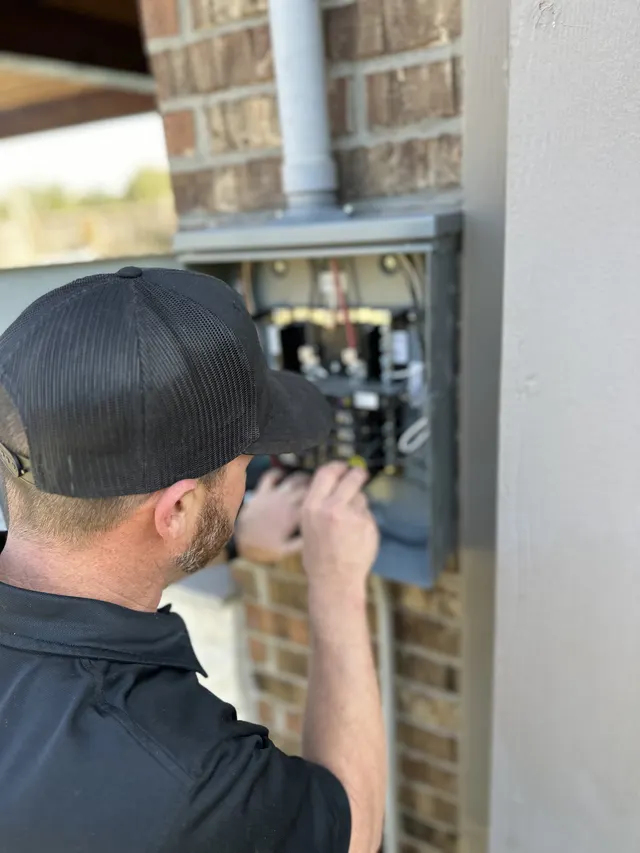
Because the clamps surround the service conductors, the monitor sees every watt the house uses, including loads with no smart device of their own. The clamps and the breaker both sit inside the panel, next to conductors that are live even when the main breaker is off, which is why the installation is electrician work.
Other monitor types measure in different places: a plug-in meter between an appliance and the outlet, a monitor built into a smart panel's breakers, or the utility meter itself. Each answers a different question, which is the subject of the next section.
Which type of home energy monitor should you choose?
Match the monitor to the question you are trying to answer.
Whole-home monitor (two CT clamps)
Shows total house use in real time, base load, and daily and monthly totals. Some models use load-signature detection to guess which appliance is running; it works for big, distinctive loads such as a compressor and poorly for small ones. The right choice if the question is "why is my bill high."
Circuit-level monitor (8, 16 or more clamps)
Adds a clamp to each major branch circuit: both air-conditioning condensers, the air handler, water heater, pool pump, range, dryer, EV charger, kitchen and office circuits. You see each load directly rather than by inference. The right choice if you have a pool, an EV, or two air-conditioning systems and want to know which is which. It needs the panel labeled correctly first; our breaker panel labeling guide explains that step.
Smart plugs with metering
Measure one 120-volt appliance at a time: a refrigerator, a media rack, a space heater, a window unit. Inexpensive, no installation, and the right tool for hunting phantom load. They cannot measure 240-volt appliances.
Smart meter data
CenterPoint Energy's smart meters record use in 15-minute intervals, viewable through the Smart Meter Texas portal. Free and good for daily patterns, but delayed, whole-house only, and never real time.
Smart electrical panels
Panels with monitoring and remote control built into each breaker. The most capable option, usually chosen when the panel is being replaced anyway or paired with solar and battery storage.
What can a home energy monitor tell you about your house?
Within a week, a monitor answers questions that a bill never will.
- Base load. Open the app at 3 a.m. Everything still drawing power, from the refrigerator and router to the garage freezer, the media rack on standby and the recirculating pump, is your base load. In most homes it is larger than expected, and it runs 8,760 hours a year.
- Air-conditioning share. Watch the total jump when a condenser starts and settle when it stops. Run time per hour on a 100°F afternoon tells you whether the system is keeping up, and whether the two systems in a two-story house share the work.
- Water heater and dryer cycles. An electric water heater's elements draw a large, steady block of power. If it fires every twenty minutes overnight, a leaking hot-water fixture or a failed dip tube is the likely cause.
- Pool pump schedule. A single-speed pump running eight hours a day is often the second largest load in a Fort Bend County home. The monitor shows exactly what each hour of runtime costs you in kilowatt-hours.
- Failing equipment. A compressor drawing noticeably more than last summer, a pump running hot, an element cycling oddly: the monitor shows the drift before the breakdown.
- Phantom load. Pair the whole-home reading with smart plugs to find which standby devices make up the base load. Our guide to lowering your electric bill ranks what to do about each.
The limit is honesty with yourself: the monitor reports; it does not change the thermostat or the pump schedule.
How is a home energy monitor installed in the electrical panel?
A whole-home or circuit-level installation takes a licensed electrician one to two hours. The sequence:
- Panel check. Is there space for the monitor's two-pole breaker? Is there room inside for the CTs and the module, or does it need an adjacent box? Is the panel a Federal Pacific or Zinsco that should be replaced rather than added to?
- Main breaker off. This de-energizes the bus bars, but the service conductors between the meter and the main breaker remain live, and the main CTs go around exactly those conductors.
- Install the breaker for the voltage reference and land the monitor's leads.
- Place the CTs on the two mains, oriented correctly (they are directional; backwards clamps read negative), and on each branch circuit being monitored. 240-volt circuits need a clamp on each leg or a single clamp configured for both.
- Route the sensor leads neatly, keep the module's antenna where it can see Wi-Fi, close the panel, and restore power.
- Configure the app: name each circuit, set the service voltage, verify that each clamp reads positive, and compare the monitor's total to the utility meter for a sanity check.
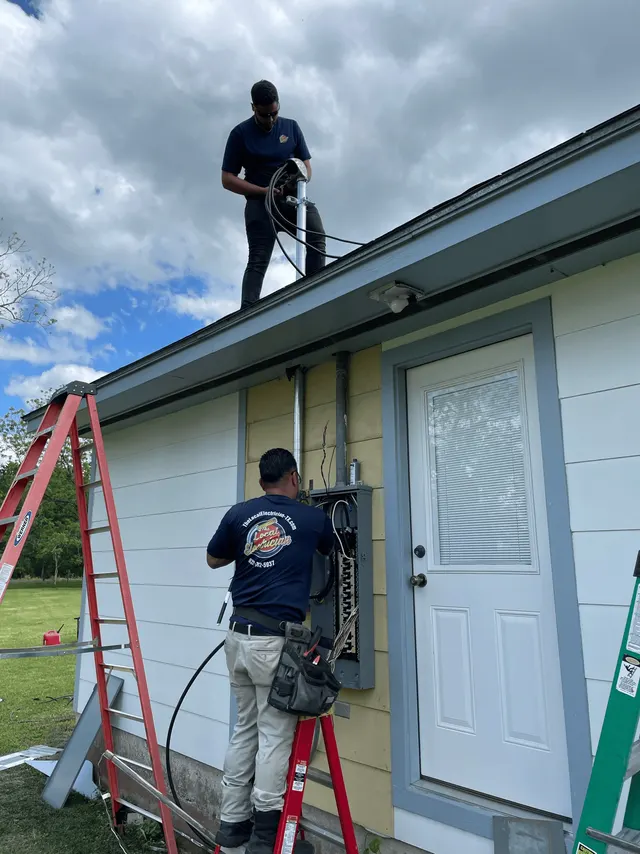
Panels on an exterior wall, which is common in 1980s and 1990s homes here, add two issues: the module needs a weatherproof location, and Wi-Fi through a brick wall to the far side of the house may need a mesh node in the garage. Adding a breaker to a panel may require a permit depending on the city; The Local Electrician handles that as part of the job.
How do you read the data and actually cut electricity use?
Two units matter. Watts are the rate of use at this moment. Kilowatt-hours are watts multiplied by hours, divided by 1,000, and they are what the retail electric provider bills you for. A 1,500-watt space heater running four hours is 6 kWh; a 5-watt charger running all year is about 44 kWh. Compare kWh to your plan's rate.
A practical routine for the first month:
- Record the base load, then switch off standby devices one at a time with a smart plug or the breaker to see which ones matter. Media racks, garage freezers, old desktop computers and pool equipment on standby are the usual finds.
- Compare air-conditioning run time on similar-temperature days after raising the setpoint two degrees or adding attic insulation. The monitor makes the effect visible, which keeps the change in place.
- Shift schedulable loads. Pool pump, dishwasher, dryer and EV charging can move to the hours your retail plan prices lowest; on a time-of-use or free-nights plan, the monitor shows how much use actually falls in the cheap window.
- Set alerts for total draw above a threshold or a circuit running longer than expected, which is how a stuck water heater element or a pump that failed to shut off gets caught the same day.
- Check the monthly total against the bill. A difference of more than a few percent means a clamp is loose or misconfigured.
Pair the monitor with a smart thermostat and lighting schedules, covered in our smart home electrical upgrades guide, so the data has somewhere to go.
Home energy monitors in Katy and Richmond homes
What the monitor finds depends on the house, and the houses The Local Electrician works in around Katy and Richmond have consistent patterns.
Cooling is the story from May through October. In a two-story home in Cinco Ranch or Aliana with two systems, the upstairs unit typically runs far longer than the downstairs one, and the monitor shows it. That is a duct, insulation or attic-heat problem rather than an electrical one, but the data is what justifies fixing it.
Pools are the second load. Pecan Grove, Greatwood and Sienna have a high share of pools, and a single-speed pump on an eight-hour timer is a large, flat block of use every day. A variable-speed pump cuts it substantially; the monitor shows the before and after.
Electric water heaters and strip heat. Homes with heat pumps use electric auxiliary heat on cold mornings, and the February 2021 freeze showed many homeowners for the first time how much that draws. A monitor makes those few days visible.
Older panels. 1980s homes in Nottingham Country or older Richmond may have a panel with no spare slot for the monitor's breaker or no room inside for clamps. Sometimes a tandem breaker frees a space; sometimes the finding is that the panel is overdue for replacement, and our panel upgrade service takes over from there.
The grid. Smart Meter Texas data is a free second opinion, and after an outage such as Hurricane Beryl, a monitor on a small UPS keeps logging through the brief restorations that reset other devices.
Can you install a home energy monitor yourself, and what affects the cost?
Homeowner jobs: smart plugs with metering, any monitor that plugs into a wall outlet for its voltage reference and clamps around an accessible subpanel feeder outside a live enclosure, app setup, naming circuits and reading the data. Pulling your Smart Meter Texas interval data is also yours to do.
Licensed-electrician jobs: anything that involves removing the panel cover. The service conductors are live with the main breaker off, and the monitor's breaker must be installed and torqued correctly. We also label the panel while the cover is off and check for what a cover removal exposes: double-tapped breakers, scorched bus stabs, aluminum branch wiring without the right connectors.
What moves the cost of a professional installation:
- Monitor type. A two-clamp whole-home unit versus a 16-clamp circuit-level system versus a smart panel.
- Number of circuits monitored, and whether 240-volt loads need paired clamps.
- Panel space and condition. Freeing a breaker slot is minor; a crowded or hazardous panel changes the project.
- Panel location. Exterior panels may need a weatherproof enclosure for the module and a Wi-Fi solution.
- Permit, where the city requires one for adding a breaker.
- Solar or battery integration, which needs additional clamps on the inverter output.
A whole-home monitor is one of the less expensive smart home electrical upgrades, and if it is bundled with a panel replacement, financing is available. Estimates are free; call 832-271-1167 with a photo of your panel and The Local Electrician can tell you whether there is room for the breaker before anyone comes out.
Frequently Asked Questions
What tools are needed for home energy monitor installation?
For a panel-mounted monitor: a voltage tester, insulated screwdrivers, a torque screwdriver for the breaker terminals, the manufacturer's CT clamps and two-pole breaker, and a phone for the app. For a plug-in monitor or metering smart plug, none. The tools are not the hard part; working around service conductors that stay live with the main breaker off is, which is why the panel work is done by a licensed electrician.
How do I choose the right home energy monitor?
Decide what you want to learn. To understand why the bill is high, a two-clamp whole-home monitor is enough. To see the pool pump, both air-conditioning systems, the water heater and an EV charger separately, choose a circuit-level monitor with 16 or more clamps. To test one appliance, use a metering smart plug. Confirm your panel has a spare two-pole breaker space and Wi-Fi reaches it.
Can I install a home energy monitor myself?
Metering smart plugs and outlet-powered monitors, yes. A monitor whose clamps and breaker go inside the main panel, no: the conductors the main clamps surround remain energized even with the main breaker off, and the breaker must be installed correctly. The Local Electrician installs panel monitors in one to two hours and labels the circuits while the cover is off.
What are the benefits of a home energy monitor?
It shows your always-on base load, how much the air conditioner, water heater, pool pump and dryer actually use, whether a change such as a thermostat setback or a variable-speed pump made a measurable difference, and when an appliance begins drawing more than normal, which often means it is failing. It also lets you check that your use really falls in the cheap hours of a time-of-use retail plan.
How do I maintain my home energy monitor?
There is little to do. Keep the app and firmware updated, compare the monthly total to your bill or Smart Meter Texas data and investigate if they differ by more than a few percent, re-check clamp readings after any panel work, and keep the Wi-Fi connection reliable; an exterior panel may need a mesh node in the garage. If a circuit suddenly reads zero or negative, a clamp has loosened or been turned around.
How much electricity does my house use at night with everything off?
That is your base load, and a whole-home monitor shows it directly. In most Houston-area homes it includes the refrigerator, a garage freezer, the router and modem, media equipment on standby, pool equipment controllers, a recirculating pump and chargers. Measure it at 3 a.m., then use metering smart plugs to find which devices make it up; it is the part of the bill you pay every hour of the year.
Does CenterPoint provide energy usage data for my home?
CenterPoint Energy's smart meters record use in 15-minute intervals, and homeowners can view and download that data through the Smart Meter Texas portal regardless of which retail electric provider bills them. It is useful for daily patterns and for checking a monitor's accuracy, but it is delayed, shows only the whole-house total, and cannot tell you which appliance was running.