





Key Takeaways About Lighting Scene Programming
Lighting scene programming coordinates switches and dimmers so multiple lights respond together predictably. This guide is for homeowners and property managers planning routines or diagnosing misfires that affect comfort and energy use.
- Identify load types and dimmer compatibility before installation.
- Prevent misfires by checking device addressing and firmware.
- Avoid overloads by staggering commands to reduce inrush current.
- Spot wiring or mesh problems with voltage and signal tests.
- Reduce energy use by matching scene levels to actual activities.
- Plan schedules and sensor placement to follow occupancy and daylight.
Introduction
Lighting scene programming ties together switches and dimmers so lights behave predictably for daily routines. Homeowners notice scenes fail when bulbs flicker or a switch controls the wrong load. That mismatch creates frustration and wasted energy during evenings and daytime hours. Coordinated controls matter for comfort, safety, and utility bills.
Many problems start with load compatibility between dimmers and the connected fixtures. LED and specialty loads sometimes cause buzzing, limited dimming range, or lamps that will not turn fully off. These symptoms can hide behind otherwise normal operation and appear only at certain settings. Recognizing those cues helps avoid repeated replacements and unnecessary trips to the breaker panel.
Schedulers layered onto scene programming can improve energy use and convenience when they follow actual household patterns. If timers do not account for seasonal daylight changes or occupancy, lights run longer than needed. That increases costs and reduces bulb life over months and years. Proper coordination keeps rooms lit when needed and dark when not.
Homeowners in Missouri City and Katy, TX often balance aesthetic goals with practical limits of older wiring and mixed lighting types. A professional diagnostic can confirm wiring, check GFCI or AFCI protection, and test dimmer compatibility with fixture loads. Observing buzzing, delayed off times, or uneven dimming gives a technician clear next steps. Scheduling a consult helps align scenes with real use and efficiency goals.

How Lighting Scene Programming Works In Homes
Lighting scene programming means assigning coordinated on/off and dim levels across switches and dimmers for a routine. A scene controller sends commands to individual devices so multiple lights change together. Homeowners ask whether scenes work with existing switches, and the short answer is that compatibility matters. A professional can confirm which switches support grouped commands before you install scenes.
- Controllers send a scene command to multiple devices.
- Dimmers report whether a load is responding correctly.
- Some switches need a neutral to power smart electronics.
- Wireless hubs translate between protocols when needed.
Scene commands travel over the home network, low-voltage wiring, or via powerline signals depending on the system. Devices like dimmers, switches, and smart bulbs must support the chosen protocol for reliable scenes. If a mix of protocols exists, a hub or bridge usually resolves communication gaps. Homeowners often see misfires when some devices lack firmware updates or stable network access.
Load behavior drives how a scene appears in a room, so matching dimmers to fixture type avoids odd dim ranges or buzzing. A technician will look at the fixture type, bulb type, and measure voltage at the switch to confirm compatibility. Simple checks include swapping an LED into a different circuit or reading for unusual flicker during dimming. These steps help answer whether a hardware change or a different scene setting will fix the problem.
When planning scenes, think about triggers like time, motion sensors, or manual buttons and confirm the system supports those triggers. For homeowners who want more detail on coordinating device types and control strategies, review resources about smart lighting controls before buying components. A local pro can test the wiring, check AFCI or GFCI protection if relevant, and produce a written report with recommended parts. In Missouri City or for homes in Katy, TX, that report helps plan reliable scenes that reduce wasted run-time and save energy.
Common Causes Of Scene Misbehavior And Why
Incorrect device addressing often causes scenes to act up when one switch responds and others do not. A wrong group ID or scene number can leave a light out of sync while the rest change correctly. A technician checks device IDs and the scene table in the controller to confirm addressing. They may also capture event logs to see which device missed the command during a scene activation.
Mixed protocols and weak mesh networks create intermittent failures that mimic hardware faults. Zigbee or Z-Wave nodes too far from a hub often drop scene commands under load. Professionals diagnose this by walking the path with a network signal test and noting packet loss or repeat counts. Strengthening the mesh or adding a compatible bridge resolves many protocol gaps.
Power quality problems and wiring issues produce symptoms like buzzing, delayed responses, or lights that stay partially lit. A tech will measure voltage at the switch, test continuity at the junction box, and check breaker and neutral connections for fluctuations. These readings reveal whether the problem comes from the supply, a miswired traveler, or a weak neutral under shared circuits. In cases with multiple dimmers on one circuit, balancing loads may be necessary to stop cross-talk between devices.
Incompatible dimmers and LED drivers often show as limited dim range or flicker that appears only during scenes using low light levels. Matching dimmer type to the fixture and its load rating is a simple fix many homeowners miss. For guidance on choosing the right device type, consult resources about smart dimmer switches.
Load Compatibility Requirements For Switches And Dimmers
Start by confirming the type and wattage of the load each dimmer or switch will control, since mismatches cause poor dimming and relay chatter. A professional inspects fixture labels and measures current draw with a clamp meter to confirm device ratings. They also check whether loads are electronic low-voltage, magnetic transformers, or LED drivers because each type needs different dimmer technology. This step stops repeated part swaps and helps select devices that work cleanly with scenes.
Next, verify the dimmer’s control method matches the fixture driver, such as leading-edge or trailing-edge dimming for certain LEDs and transformers. Technicians perform a live test by running a dim curve and observing for flicker across the range, recording voltage and current readings for marginal loads. If a dimmer lacks a neutral, pros confirm the control can still power its electronics with the intended load. These checks determine whether the dimmer itself or the lamp driver must change for smooth scene transitions.
Shared circuits and multi-location dimming require special attention to wiring and traveler compatibility to prevent cross-talk during scenes. An electrician inspects junction boxes, runs continuity tests on travelers, and confirms proper grounding using a voltage tester. They will also check breaker sizing and any shared neutral conditions that can affect multiple dimmers on one circuit. Addressing these wiring factors prevents a single scene from causing unintended behavior elsewhere in the lighting system.
Some smart switches require a neutral or provide a dedicated load terminal to avoid ghosting with LED bulbs, so confirm these wiring needs before pairing devices. Firmware and protocol mismatches can also mimic load problems, and a pro will update device firmware and retest scenes after any hardware swap. For homeowners comparing device types, review guidance about Wi‑Fi light switches to understand common wiring and compatibility notes. In Missouri City homes and properties in Katy, TX, these diagnostic steps help prevent recurring scene issues and save time during installation.
When To Call A Professional For Scene Programming
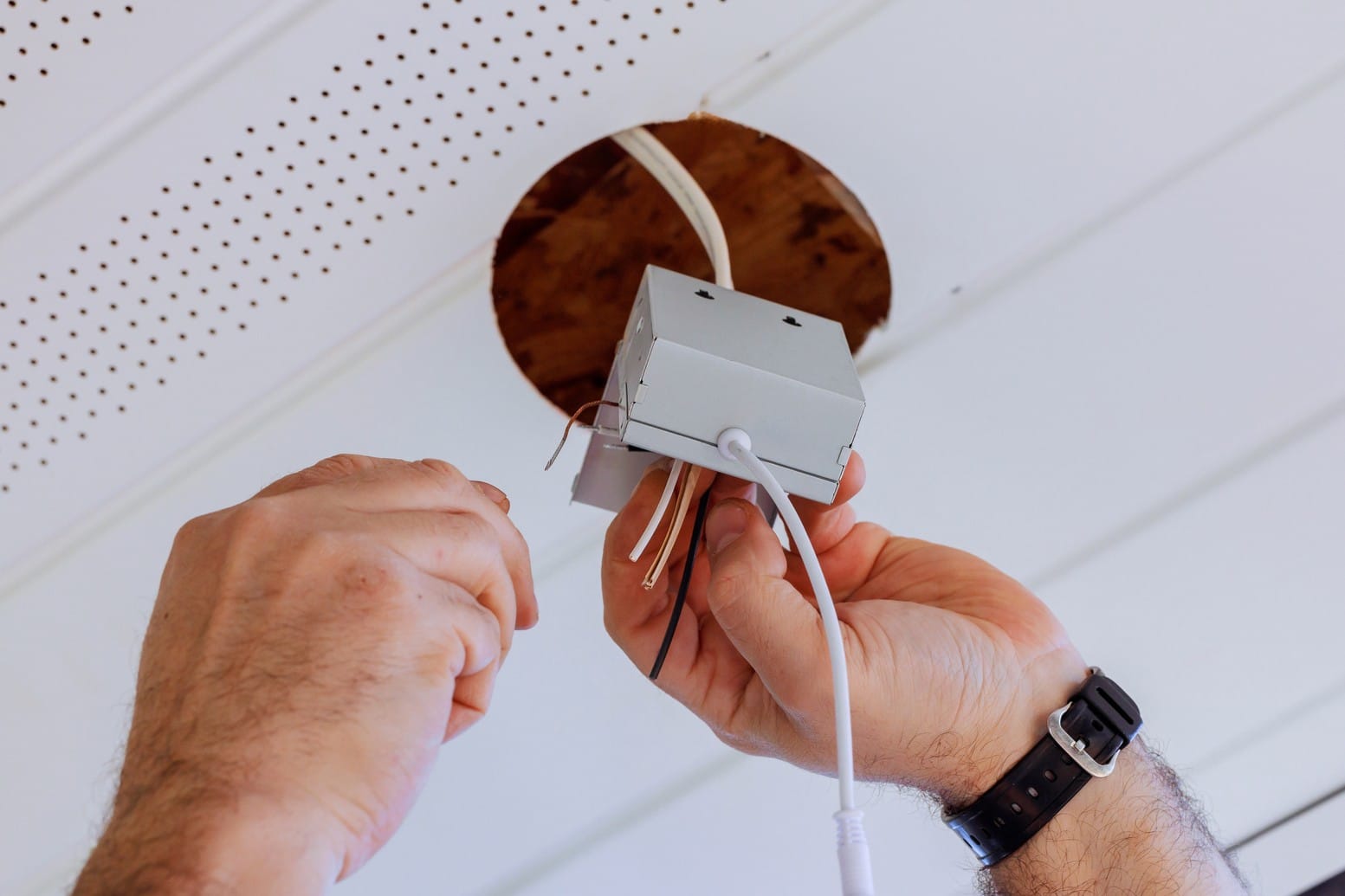
If a scene repeatedly misfires during normal use, call a professional to avoid trial-and-error swaps that waste time and parts. A technician will inspect wiring, test breakers, and verify neutral and traveler continuity with a voltage tester. They can log device responses and capture event history to identify intermittent communication failures. Seeking help early reduces the chance of repeated nuisance trips to the breaker or unexpected outages.
- Confirm device addressing and group assignments.
- Measure voltage and current at problematic switches.
- Test mesh signal strength across the home.
- Run a live dim curve on suspect dimmers.
- Check firmware versions and compatibility notes.
If lights buzz, flicker, or stay faintly lit during a scene, a pro will check load type and driver behavior with a clamp meter. They will also inspect junction boxes and confirm grounding and AFCI/GFCI protection where relevant. In many cases, measuring voltage drop during scene activation reveals supply issues not obvious visually. Those readings guide whether to replace a dimmer, rebalance loads, or reconfigure scene commands.
Homeowners who want automated schedules tied to scenes should consult a professional when scenes must follow occupancy patterns or integrate sensors. A technician will test triggers, simulate seasonal time shifts, and verify that motion sensors and timers do not conflict with manual overrides. For guidance on pairing energy-focused dimming with scenes, read the article about energy-save dimmer switches.
Setting Schedules And Triggers For Smart Routines
Start by defining clear triggers for each routine so scenes activate only when wanted and do not overlap. Use time-of-day, sunrise/sunset offsets, or sensor events as primary triggers and avoid redundant triggers that cause repeated scene calls. A professional can map these trigger types to device capabilities during a site visit and confirm the controller supports multiple trigger sources. For homes near Missouri City, a pro may recommend seasonal offsets to match local daylight shifts without constant reprogramming.
When scheduling, stagger commands slightly to reduce inrush currents when many loads switch at once, preventing nuisance breaker trips and dimmer stress. Phased activation can be set in most scene editors by adding short delays between device actions, which a technician can tune while monitoring current draw. An electrician will also evaluate load-bearing circuits using lighting load calculations to ensure the panel can handle coordinated scene events. Including that check reduces the chance of overloads during evening routines or holiday lighting.
Combine occupancy sensors with time schedules to limit runtime while keeping convenience for occupants who move unpredictably. Configure sensors so manual overrides hold the scene for a set period, then revert to scheduled control to avoid lights staying on indefinitely. A pro can test sensor placement and sensitivity and will record voltage and current readings during simulated occupancy to confirm reliable behavior. For homes in Katy, TX, this approach keeps rooms lit when needed and cuts wasted run-time.
Finally, set up logging and simple alerts so you can spot recurring misfires or energy spikes tied to scenes before they become failures. Ask a technician to enable event history and review it after a week of normal use to see missed commands or unusual load patterns. If problems appear, the professional will perform continuity checks, inspect junction boxes, and run mesh signal tests to diagnose whether wiring or communications caused the issue. Consider scheduling a smart device installation appointment to have these checks performed and settings tuned by a qualified installer.
Energy Savings From Coordinated Lighting Controls
Coordinated scene control can cut lighting hours by ensuring only needed fixtures operate during routines, which lowers energy use without sacrificing comfort. Scene programming lets dimmers run at efficient levels rather than full power, reducing wattage and extending bulb life. A professional can compare recorded run-time and current readings before and after tuning scenes to estimate savings. For homeowners in Missouri City, small runtime reductions across many fixtures often show measurable monthly savings on utility bills.
Effective savings depend on matching scene levels to real use, not default bright settings that waste energy during occupied periods. Technicians use a clamp meter and run-time logs to measure how much current each scene draws over typical days. They may adjust dim levels, stagger activations, and change timers to lower peak demand during evening routines. These steps reduce both energy consumption and the stress on breakers during coordinated switching events.
Coordinated controls also enable daylight harvesting by lowering interior scenes when adequate natural light is present, cutting artificial lighting needs during daytime. A professional installs and validates sensor thresholds and ties them into scene triggers so dimmers respond smoothly to changing light. They will test sensor placement and scene response, recording light levels and device response to confirm the system reduces run-time effectively. For a home in Katy, TX, this approach can shift significant lighting load off during sunny afternoons.
A technician diagnosing potential savings first documents baseline usage, then runs controlled changes while measuring current and logging event history to confirm impact. Observable cues like reduced switch-on spikes, shorter cumulative run-time, and lower recorded amperage indicate successful tuning. If expected improvements do not appear, the pro will inspect wiring, check device firmware, and confirm load compatibility with measurement tools. That diagnostic process produces a written comparison so homeowners see clear before-and-after results tied to lighting scene programming.
Troubleshooting Steps Homeowners Can Try First
Start with simple power-cycle steps for devices involved in a scene to rule out temporary glitches. Turn the main scene controller or smart hub off, wait thirty seconds, and power it back on to refresh connections. Also toggle the affected switches and dimmers off and on to clear stuck states without changing settings. If a device has a small reset button, consult its manual before using it to avoid wiping scenes unintentionally.
- Check for loose wall-plate screws near the switch.
- Ensure bulbs sit fully in their sockets.
- Look for obvious scorch marks or melting in plates.
- Note any unusual buzzing when lights dim.
- Record which actions consistently reproduce the issue.
If a scene only misbehaves at low dim levels, swap the bulb with a known compatible lamp to test the load. Use a simple clamp meter or ask someone to watch for flicker while you change levels to observe behavior. A professional would next measure current draw and voltage at the switch to confirm marginal loads or driver interaction. For homes near Missouri City, this quick swap often narrows whether the problem is the fixture or the dimmer.
Test scheduling interactions by temporarily disabling timers and motion triggers to see if manual scene activation works reliably. If manual activations succeed, re-enable triggers one at a time to identify the conflicting source and note exact times when misfires occur. Keep a short log of timestamped failures to show a technician during a service call, which speeds diagnosis. In Katy, TX homes, schedules tied to seasonal offsets sometimes expose timing conflicts during sunrise or sunset transitions.
If networked devices miss commands sporadically, move a battery-powered device closer to the hub to test mesh strength and relay behavior. Observe whether that relocation improves reliability to decide if a repeater or additional node will help the mesh. When wireless issues remain, check device firmware and update only if release notes mention stability fixes relevant to scenes. If uncertain about updates, contact a professional to avoid introducing new incompatibilities.
Best Practices To Prevent Scene Conflicts Long Term
Set clear naming and numbering for scenes and devices so future edits do not accidentally target the wrong load. Record each device’s physical location and its assigned scene ID in a short written log. During changes, update the log immediately to prevent drift between the controller and wall devices. This habit reduces accidental overwrites when multiple people make adjustments.
Keep firmware and scene backups regularly to restore known-good settings after an unexpected failure or update. Export scene tables and save them with dates so you can compare versions if behavior changes. Test restores on one non-critical scene before applying them system-wide to confirm compatibility. A professional can perform periodic backups during routine inspections for peace of mind.
Design scenes with fail-safe defaults so manual switches still provide predictable basic control when the controller or network drops. Configure a primary manual override that returns lights to a readable level rather than an unpredictable state. Teach household members which buttons provide reliable control during network outages to avoid confusion. This practice reduces nuisance calls for simple resets.
Limit scene scope where practical by grouping only related fixtures to avoid wide-ranging unintended effects from a single trigger. Avoid assigning outdoor and indoor loads to the same scene to prevent unnecessary runtime and safety concerns. Also, plan schedules to prevent simultaneous high inrush events by staggering large groups slightly. For guidance on reducing standby loads and unnecessary draw, review advice about phantom power.
Document diagnostic steps and keep a short failure log with timestamps and observable cues like buzzing, delayed off times, or partial dim levels. When a professional diagnoses issues, provide that log along with voltage or continuity readings to speed troubleshooting. A technician will use those notes plus voltage testing tools, junction box checks, and mesh signal reads to confirm root causes. Homeowners in Missouri City and properties in Katy, TX that follow these practices reduce repeat service visits and long-term scene conflicts.
Frequently Asked Questions
How does lighting scene programming save energy at home?
Lighting scene programming reduces energy use by grouping lights and setting lower brightness levels for routine activities like cooking or watching TV. It uses timers and presence sensors to turn lights off automatically when rooms are empty. Coordinated dimmers match compatible LED and incandescent loads to avoid wasted power and flicker. If wiring or load compatibility is unclear, hire a professional electrician to inspect switches and panels for safe programming.
What causes dimmers to buzz or flicker during scenes?
Buzzing or flickering during scenes often comes from dimmer and bulb incompatibility, especially with LED loads using electronic drivers. Fast scene changes or simultaneous commands can overload the dimmer’s internal electronics and cause audible noise or unstable output. Loose wiring, poor neutral connections, or an overloaded circuit can also cause flicker and present a safety concern, so stop using the circuit and call a professional. A licensed electrician will inspect switches, check voltage with a meter, verify load compatibility, and recommend switch or bulb replacements for reliable lighting scene programming.
Can my existing switches support grouped scene commands?
Some older single-pole switches cannot send grouped scene commands because they lack network or multi-button functionality. Smart switches with built-in radio, Z-Wave, Zigbee, or proprietary mesh can handle grouped scenes across dimmers and switches. A professional will inspect load type, neutral presence, and wiring at the switch and panel to confirm compatibility and prevent overloads. If you spot buzzing, flicker, or warm devices, stop and call a licensed electrician for a safe diagnosis and upgrade.
How do schedulers and sensors affect scene reliability?
Schedulers and sensors improve scene reliability by automating triggers based on time, occupancy, or ambient light levels. Properly tuned sensors prevent false triggers from shadows or pets and keep scenes consistent. Mismatched sensor types or poor placement can cause scenes to flicker or not activate, so test locations and settings. If wiring or load issues appear during setup, exercise caution and contact a licensed electrician to inspect GFCI, breakers, and dimmer compatibility.
When should I call a pro to diagnose scene misfires?
Call a pro when scenes regularly misfire despite rebooting hubs, updating firmware, and checking app settings for device status. If lights flicker, buzz, or breakers trip when a scene runs, stop using that circuit and call a licensed electrician. A pro will inspect switches, dimmers, GFCI/AFCI protection, wiring connections, and load compatibility with an electrical tester and voltage readings. Because live wiring poses danger, hire a professional rather than attempting risky fixes yourself.